Key Takeaways:
- Eliminates manual retyping of worksheets
- Modern OCR achieves up to 99% accuracy on clear, typed documents
- Works best on typed text with standard fonts and clean scans
- Handwritten content and decorative fonts typically require manual correction
- Students must complete assignments on the platform for auto-grading to work
What Is AI PDF Extraction?
AI PDF extraction is a technology that reads PDF files and converts their content into structured digital formats. For educators, this means uploading a worksheet and receiving an editable, assignable version without retyping.
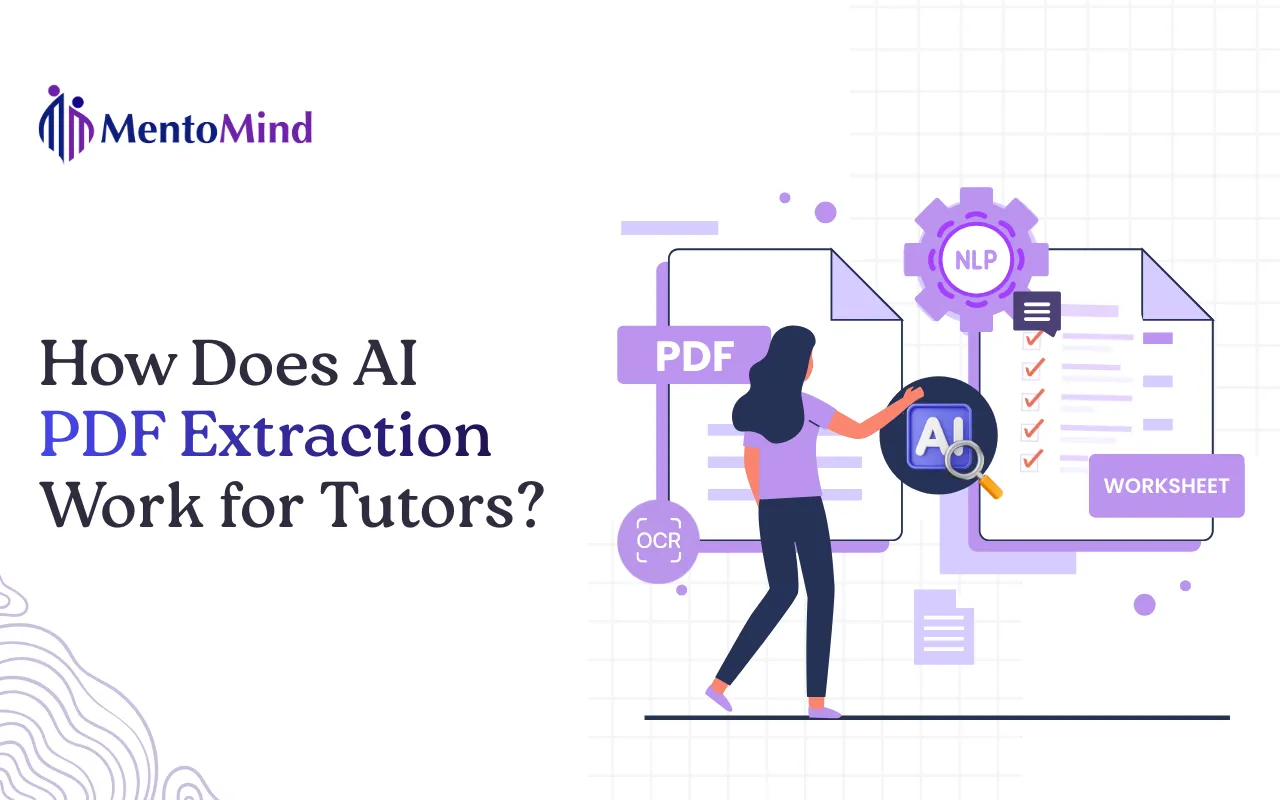
The technology combines four components:
- OCR (Optical Character Recognition): Converts images of text into digital characters
- Layout Detection: Identifies document structure like columns, tables, and question groupings
- Question Boundary Detection: Determines where each question starts and ends
- NLP (Natural Language Processing): Extracts answer choices, correct answers, and metadata
Together, these components transform a static PDF into an interactive assignment where student responses can be captured and scored.
Why Do Tutors need Worksheet Digitization Tools?
The Grading Burden:
According to a 2022 survey by the EdWeek Research Center, educators spend approximately 5 hours per week on grading and providing feedback. For tutors managing multiple students across different subjects, this adds up quickly.
The Retyping Problem:
Many tutors rely on PDF worksheets from textbooks, test prep materials, or their own archives. Using these digitally typically requires:
- Retyping every question into a document or quiz platform
- Manually grading after students complete the work
- Tracking results separately in spreadsheets
AI PDF extraction eliminates the retyping step entirely.
The Tracking Gap:
Paper worksheets and emailed PDFs create tracking problems. Which students completed the assignment? How long did they spend? Which questions did they miss most often?
Digital worksheet conversion makes this data available automatically.
How Does OCR Convert PDFs to Editable Text?
OCR (Optical Character Recognition) is the foundational technology behind PDF extraction. It analyzes character shapes in scanned documents or images and outputs machine-readable text.
What OCR handles well:
- Typed text in standard fonts (Arial, Times New Roman, Calibri)
- Math symbols and basic equations
- Multiple languages
- Tables and structured layouts
According to industry benchmarks from AIMultiple, leading OCR solutions achieve 99% or higher accuracy on clear digital documents. Accuracy varies on handwritten content (covered in detail below).
How Does Layout Detection Preserve Document Structure?
Layout detection maps how content is organized on a page so questions stay grouped with their answer choices.
Without layout detection, OCR would return a jumbled stream of text. Layout detection identifies:
- Paragraph blocks: Groups of related text
- Question numbers: Markers that indicate new questions
- Answer choices: Options labeled A, B, C, D or similar
- Tables: Rows and columns of organized data
- Multi-column layouts: Side-by-side content sections
- Sidebars and callout boxes: Supplementary information
This component ensures that Question 1 stays grouped with its answer choices, and Question 2 appears separately.
How Does AI Split Questions in Worksheets?
Question boundary detection in one sentence: The AI identifies where each question starts and ends so every item can be answered and scored independently.
Question boundary detection is critical for educational documents. A typical worksheet might contain:
- Simple numbered questions (1, 2, 3…)
- Multi-part questions (1a, 1b, 1c…)
- Passage-based questions where multiple items reference the same text
- Math problems that span multiple lines
The AI identifies patterns that signal question boundaries: numbering systems, formatting changes, instruction text, and spacing. This allows each question to be treated as a discrete item that can be answered and graded independently.
Can AI Extract Math Problems Correctly?
Short answer: Basic math notation extracts well. Complex notation (stacked fractions, matrices, integrals) may need verification.
What extracts reliably:
- Linear equations: “2x + 5 = 15”
- Basic fractions: “3/4”
- Exponents: “x²”
- Simple expressions with parentheses
What may need review:
- Stacked fractions and nested expressions
- Matrices and determinants
- Integral and summation notation
- Graphs and coordinate planes
Best practice: Review extracted math problems before assigning, especially for advanced content.
Does AI PDF Extraction Work on Handwritten Worksheets?
Short answer: Yes, but with lower accuracy than typed text. Printed handwriting extracts better than cursive.
Factors affecting handwritten extraction:
- Print vs. cursive: Printed letters extract more accurately
- Consistency: Uniform letter shapes improve recognition
- Spacing: Clearly separated words help the AI
- Ink quality: Dark ink on light backgrounds works best
For worksheets with handwritten content, plan to review and correct extraction errors before assigning.
How Accurate Is AI PDF Extraction?
Accuracy depends on document characteristics:
| Document Type | Expected Accuracy |
|---|---|
Typed text, Standard fonts |
95-99% |
Clean scans (300+ DPI) |
95-99% |
Math with Standard Notation |
90-98% |
Clear Printed Handwriting |
70-90% |
Cursive Handwriting |
50-80% |
Decorative or Unusual Fonts |
60-85% |
Text Overlapping Graphics |
Variable |
Source: Wikipedia’s overview of OCR technology
What Are the Limitations of AI PDF Extraction?
| Limitation | Impact | Workaround |
|---|---|---|
Decorative Fonts |
Characters may be misread |
Use Standard Fonts in Source Materials |
Overlapping Graphics |
Text may not extract |
Manually add Missed Content |
Low-Resolution Scans |
Accuracy drops significantly |
Re-scan at 300 DPI or higher |
Complex Math Notation |
Formulas may need correction |
Verify equations before assigning |
Cursive Handwriting |
Recognition is unreliable |
Use Printed text or Manual entry |
Multi-language Documents |
Some languages extract better than others |
Check accuracy for Non-Latin scripts |
These limitations are inherent to current OCR technology, not specific to any single tool.
How Does AI PDF Extraction Compare to Manual Methods?
| Approach | Time | Accuracy | Auto-Grading | Analytics |
|---|---|---|---|---|
Manual retyping |
1-3 hours per worksheet |
High (human verified) |
Requires separate setup |
Manual tracking |
Generic PDF-to-text tools |
15-30 minutes |
Variable |
No |
No |
AI PDF extraction for education |
Minutes |
High on typed content |
Yes (on-platform) |
Yes |
The primary advantage is time savings. A worksheet that takes 2 hours to retype can be converted in minutes.
What Should You Look for in a PDF Extraction Tool?
When evaluating PDF-to-quiz converters or worksheet digitization tools, consider:
- Question detection quality: Does the tool correctly identify where questions begin and end? Poor question splitting creates unusable assignments.
- Answer choice recognition: Can the tool identify multiple choice options and extract correct answers when marked?
- Subject support: Does the tool handle your content type? Math notation, science diagrams, and language content each have different requirements.
- Editing capabilities: Can you correct extraction errors before assigning? No OCR is perfect.
- Sharing flexibility: Can students access assignments without creating accounts? This reduces friction for homework distribution.
- Analytics depth: What data do you receive after students complete the work? Question-level insights help identify knowledge gaps.
How Does TutorHub Handle PDF Extraction?
TutorHub is MentoMind’s tool for converting PDF worksheets into auto-gradeable digital assignments. It applies the AI extraction process described above with features designed specifically for tutors.
How it works:
- Upload: Add your PDF worksheet or use AI to generate new questions
- Review: Check the extracted content and make any corrections
- Configure: Choose open-link access (no student login required) or student accounts (saves history)
- Share: Send a link that works on phones, tablets, and laptops
- Analyze: View scores, time-on-task, and question-level performance after students submit
Key features:
- Supports all subjects and grade levels
- Open-link sharing eliminates student account friction
- On-screen annotation tools for providing feedback
- Per-student and per-question analytics
- Privacy-first: your content and student data remain yours
For a detailed walkthrough, see How to Turn Your PDF Worksheets Into Auto-Graded Digital Assignments.
Frequently Asked Questions
Extraction typically completes in a few minutes depending on document length. Review and correction time varies based on document complexity and accuracy.
Yes. Images are preserved alongside extracted text. However, text embedded within images (like labeled diagrams) may not be extracted and would need manual addition.
Most extraction tools require unprotected PDFs. You would need to remove password protection before uploading.
Yes. Many tutors convert worksheet collections into structured course modules. See How Tutors Can Convert Worksheets Into Digital Courses.
With TutorHub, your content and student data remain yours. Nothing is shared or used for model training.