Tracking SAT student progress is one of the highest-leverage things a tutor can do and one of the most common sources of burnout. The problem is rarely the tracking itself. It is tracking too much, tracking the wrong things, or storing data in formats that take hours to compile into anything useful. A 2025 Gallup-Walton Family Foundation poll found that teachers using AI tools save nearly six hours per week.
This guide gives you a practical system that takes less time than what most tutors are currently doing and produces better insight.
What Most Tutors Track and Why It Is Not Enough
Most tutors track practice test scores. A student goes from 1180 to 1220 to 1250 across three tests and the tutor reports that number to the parent. This is progress tracking at its least useful because a composite score tells you very little about what is actually improving or what to work on next.
A student can improve their composite by 40 points while their weakest section gets worse, if their stronger section improves enough to compensate. Another student can plateau at the same composite for two tests while making significant accuracy gains on specific topics that have not yet translated to full-section performance.
Composite scores are the output of progress. They are not the signal. The signal is what is happening at the topic and error level underneath.
The Three Dimensions to Track SAT Student Progress
Effective SAT progress tracking covers three dimensions. Each one tells you something different and together they give you a complete picture of where a student actually stands.
| Dimension | What It Tells You | How To Track It |
|---|---|---|
Accuracy by topic |
Which content areas are improving and which are stalling |
Percentage correct per topic after each practice set |
Pacing by section |
Whether the student is finishing sections and where time is being lost |
Questions attempted vs questions in the time allowed |
Error type |
Whether wrong answers are content gaps, timing issues, misreads, or careless mistakes |
Manual tagging after each practice set |
Error type is the most valuable of the three because it determines what kind of intervention is needed. A content gap requires more instruction. A timing issue requires pacing drills. A misread requires active question strategy coaching. A careless mistake requires a different mental discipline entirely. Treating all wrong answers the same is the most common reason score improvement plateaus after an initial gain.
The Five-Step Tracking System
Step 1. Redefine what you track
Replace composite score tracking with topic-level accuracy tracking. After every practice set, record the percentage correct for that topic. After every practice test, record section-level accuracy and pacing. This takes less than five minutes per session and gives you a far more actionable picture than a single composite number.
The three metrics worth recording every session are accuracy percentage for the topic practiced, number of questions attempted versus the section total, and one note on the most common error type that session.
Step 2. Centralize all data in one place
The tutors who burn out from tracking are almost always managing data across multiple places: session notes in one place, test scores in another, homework results in a third. When a parent asks how their child is doing, pulling a coherent answer from three separate systems takes 20 minutes.
Keep one simple record per student with columns for date, topic, accuracy percentage, questions attempted, and error type. A basic spreadsheet works. A platform that auto-populates this is even better.
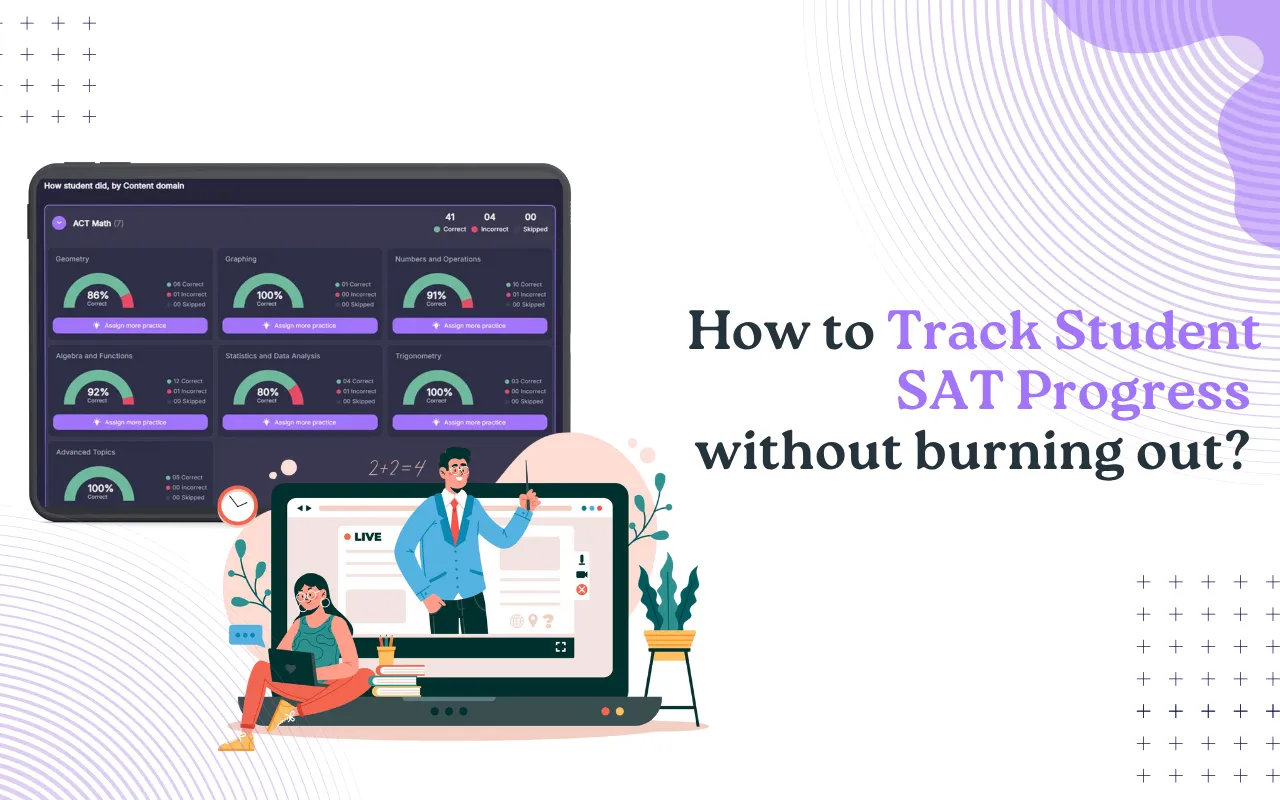
MentoMind’s Teacher View shows a topic-wise breakdown of where every student stands across Not Started, In Progress, and Mastery levels, filterable by class and subject. The Student Skill Levels by Topic report replaces manual accuracy logging entirely for tutors managing multiple students.
Step 3. Set milestone checkpoints
Rather than reviewing progress continuously, set three defined checkpoint moments in every prep cycle.
- After the diagnostic test, to establish the baseline and prioritise the study plan
- After each major topic block is completed, to confirm mastery before moving on
- After every full practice test, to assess whether topic gains are translating to section-level performance
MentoMind’s automated diagnostic assignments remove the manual setup from the first checkpoint entirely. Set it up once in Admin Dashboard under Diagnostic Assignments, select the course, and every new student gets the correct diagnostic automatically.
The moment a student completes their diagnostic, every configured admin receives an instant email notification. No dashboard checking needed. You know immediately when a student is ready to move into the prep phase.
At each checkpoint, compare the current accuracy data against the baseline. This gives you a concrete improvement story to share with parents and tells you objectively whether the study plan is working or needs adjusting.
Step 4. Make progress visual for parents
Most parents cannot interpret a spreadsheet of accuracy percentages. What they can interpret is a simple bar chart showing accuracy by topic this month versus last month, or a line graph showing mock test scores over time. Visual progress reports take less time to read, are more likely to be shared with students, and are more effective at building parent confidence in the tutoring investment.
A one-page visual summary sent after every mock test is far more valuable than a detailed written report sent once a month. Keep it short, keep it visual, and focus on two or three specific improvements rather than trying to summarize everything.
For courses with automated assignments, MentoMind also sends weekly progress emails directly to students and parents whenever a student’s skill level changes or a new assignment is created. This keeps families engaged between sessions without requiring any manual outreach from the tutor.
Step 5. Review the system weekly, not daily
Set aside 20 minutes once a week to review data across all your students. Look for students who are improving in accuracy but stalling on pacing, those making careless errors consistently, and those who have not practiced between sessions.
Use this review to adjust the following week’s session plans. One focused 20-minute block is more useful than scattered checking throughout the week and replaces the daily anxiety of not knowing where each student stands.
What to Include in a Parent Progress Report
Parents ask two questions when they reach out: is my child improving, and is the money well spent. A good progress report answers both without requiring them to interpret data.
The most effective format covers three things. First, two or three specific topics where accuracy has improved since the last checkpoint, with the actual numbers. Second, the current mock test trajectory if full tests have been taken. Third, one specific focus area for the next two to three weeks and why.
Keep the total length to one page or less. Parents who receive a two-page detailed report with multiple charts and tables are less likely to read it than parents who receive a single visual summary with a brief paragraph of context. The goal is confidence, not comprehensiveness.
How to Track Progress Across Multiple Students Without Burning Out
The system described above works for one student. Scaling it to ten or fifteen students without burning out requires a consistent format and automated data capture wherever possible.
- Use the same tracking format for every student: Reviewing progress becomes the same process regardless of who you are looking at. Consistency means you spend your energy interpreting data rather than remembering how each student’s system was set up.
- Automate data capture wherever possible: If your students are practicing on a platform that logs accuracy and timing automatically, your job becomes reviewing and interpreting results rather than collecting them manually.
- Do one weekly review across all students: Twenty minutes once a week is more effective than daily checking and far less exhausting than reacting to each session in isolation.
For how tutors manage this efficiently at scale, see the guides on scaling SAT tutoring income and how auto-graded practice tests save tutors time.
Frequently Asked Questions
Track accuracy and error type after every session, but do a formal progress review at three defined checkpoints: after the diagnostic, after each major topic block, and after every full mock test. A weekly 20-minute review across all students is enough to stay on top of the data without it consuming your prep time.
Error type. Knowing that a student got a question wrong tells you very little. Knowing whether it was a content gap, a timing issue, a misread, or a careless mistake tells you exactly what kind of intervention is needed. Composite scores and section scores are outputs. Error type is the signal that tells you how to improve them.
Visually and proactively. Send a brief one-page update after every mock test showing two or three specific topic improvements with numbers, the current score trajectory, and one focus area for the next few weeks. Do not wait for parents to ask. Tutors who communicate regularly retain students longer and generate more referrals.
Use a consistent format for every student so reviewing progress is the same process regardless of who you are looking at. Use platforms that auto-capture accuracy and timing data so you are interpreting results rather than manually collecting them. One 20-minute weekly review across all students is more effective than daily checking.
At every milestone checkpoint. If accuracy on a topic has not reached 75 to 80 percent after the planned number of practice sessions, extend the work on that topic before moving on. If mock test scores are plateauing despite strong topic accuracy, the issue is likely pacing or test strategy rather than content, which requires a different type of session focus.
Track Every Student’s Progress Automatically
MentoMind logs accuracy, timing, and error patterns by topic in real time so your weekly review takes minutes instead of hours. Parent-ready reports are generated automatically after every practice test.